Turn a Selfie Into a Matrimony Biodata Photo (2026 Guide)
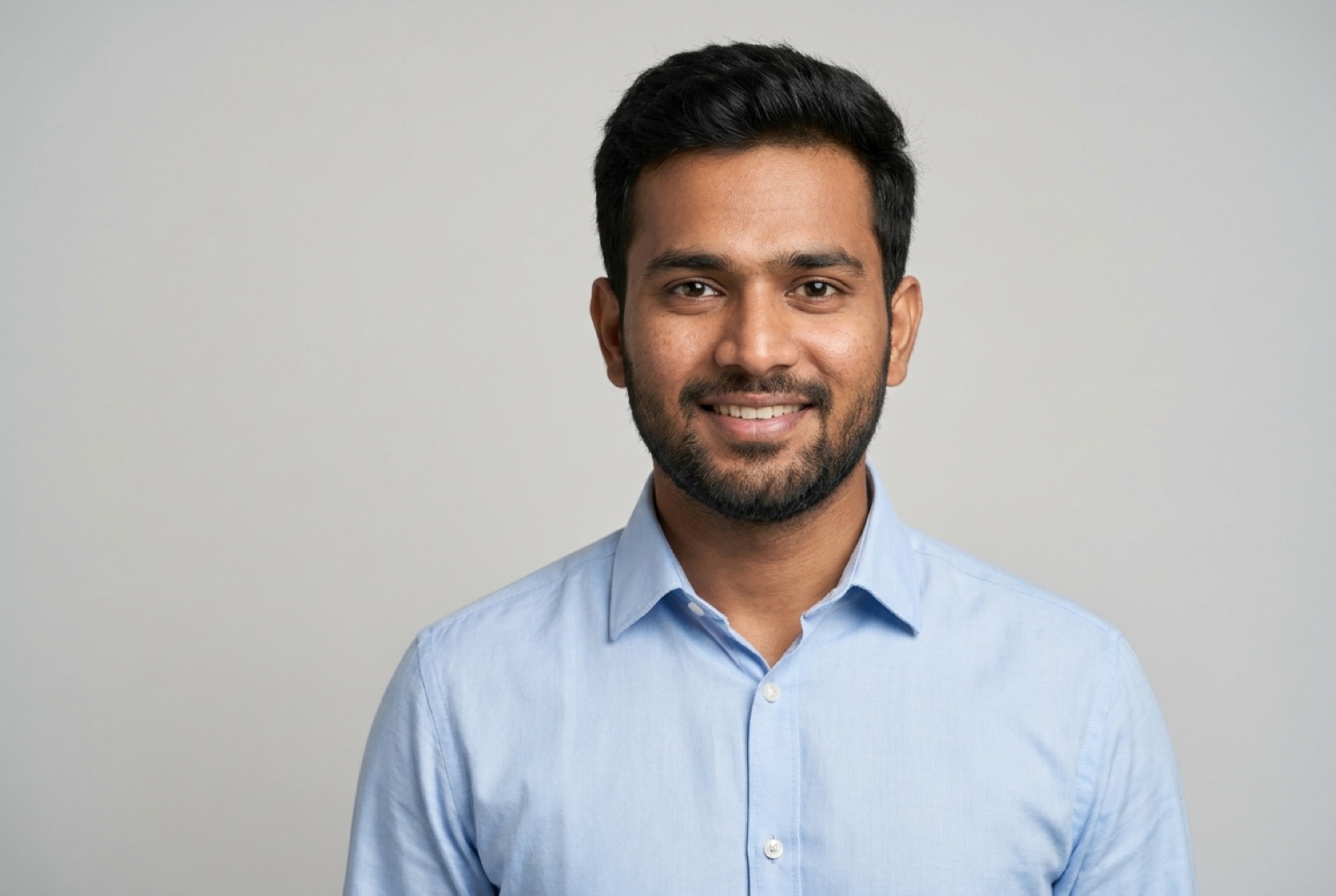
Yes — you can turn a single selfie into a proper matrimony biodata photo. AI now takes one ordinary front-facing selfie and produces a solo, plain-background, formally-dressed, head-and-shoulders portrait in about 30 seconds. It keeps your real face and identity; it just handles the background, clothing, and framing a studio would. This guide covers exactly how it works, what it can and can't do, and how to get a result that looks like you and passes on every major matrimony site.
Can You Really Turn a Selfie Into a Biodata Photo?
Short answer: yes, and it's the fastest route to a good biodata photo that exists right now.
A biodata photo has a specific job — it's the first thing a prospective family sees, and on Shaadi.com's own numbers a profile with a photo gets viewed up to 7x more and receives up to 10x more responses than one without. The catch has always been that a good biodata photo means a studio-style portrait, and a raw selfie isn't one.
AI closes that gap. It doesn't "beautify" your selfie with a filter — it re-creates you as a studio portrait: your face, placed in formal clothing against a clean background, lit properly, framed head-and-shoulders. The output is an ordinary image file you upload like any other photo.
Curious what your biodata photo would look like? Upload one selfie and see a free preview in 30 seconds.
Try Free — No SignupHow It Works, Step by Step
- Take or pick one selfie. Front-facing, good light, whole face visible, no sunglasses or heavy filters. You don't need to dress up — the AI adds the formal attire.
- Upload it and choose a style. Formal shirt, ethnic wear (kurta, saree, salwar kameez), or a simple neutral look.
- Generate. In about 30 seconds you get a studio-style portrait that follows the biodata rules — solo, plain background, warm expression, sharp.
- Check it before you pay. With ProfilePics' free preview the result is watermarked so you can judge the likeness first — no account, no email, no card. Only the full-resolution version you'd actually upload is paid.
- Upload to your profile. The final image meets the file rules on Shaadi.com, BharatMatrimony, and Jeevansathi (JPG/PNG, under 15 MB, clear, solo).
The Gap AI Closes: Selfie vs Biodata Photo
Put a casual selfie next to a biodata photo and the difference is never your face — it's everything around it. This is exactly the part AI handles.
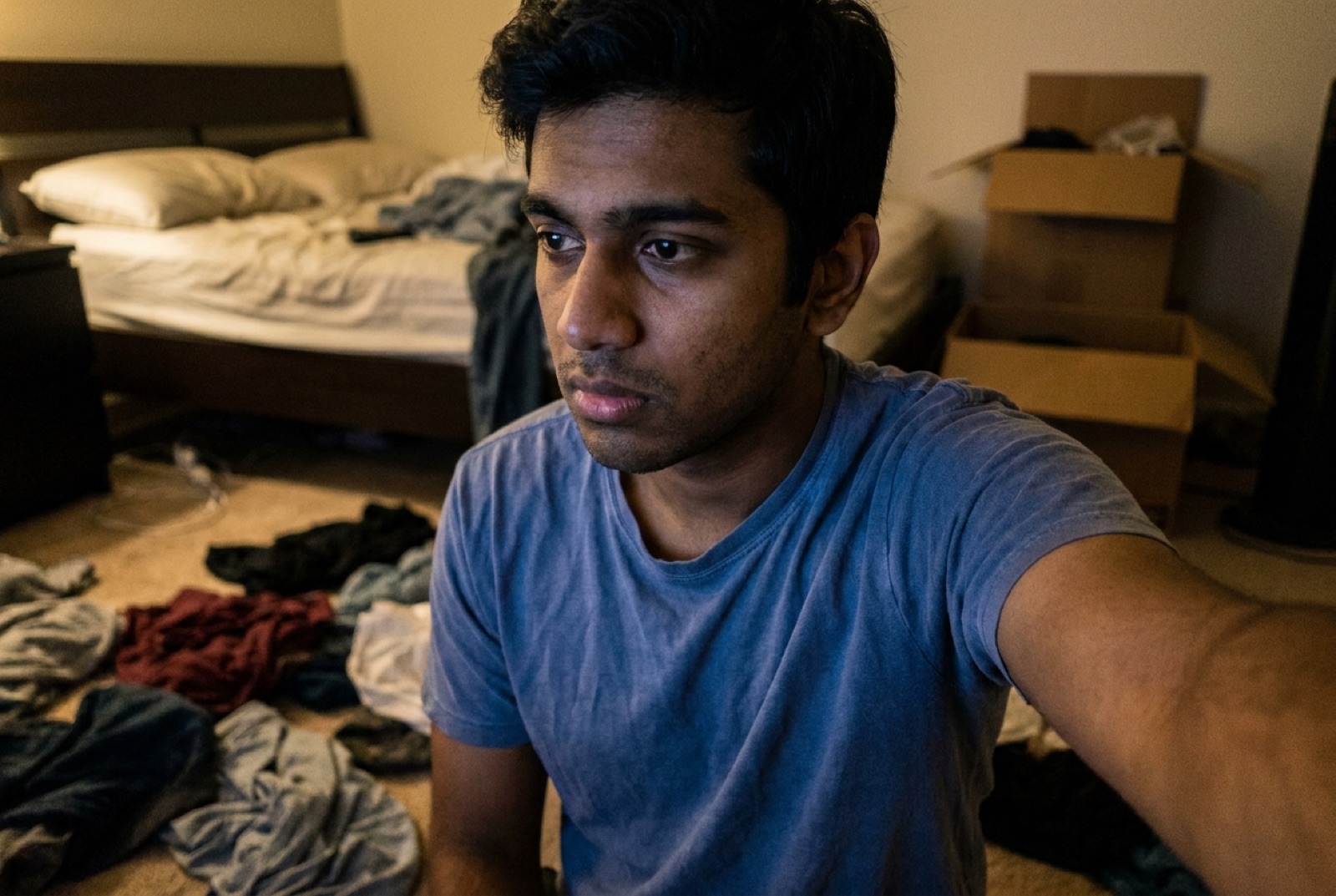
What the AI actually changes:
- Background → a clean white, cream, or soft grey, instead of your room, wall, or a third person's shoulder.
- Clothing → a formal shirt or ethnic outfit, instead of whatever you were wearing.
- Lighting → soft, even studio light, instead of a harsh flash or a dim ceiling bulb.
- Framing → a proper head-and-shoulders portrait crop, instead of a tilted arm's-length shot.
What it deliberately keeps: your real face. That's the line between a genuine AI portrait and a fake photo — a good tool changes the setting, not you. (For the full list of what a strong matrimony photo needs, see the 7 rules of a great biodata photo.)
Get the Best Result: Selfie Do's and Don'ts
The output can only be as good as the input face it's given. A few seconds getting the selfie right makes the likeness noticeably closer:
Do:
- Use good, even light — face a window, avoid harsh overhead shadows.
- Keep your whole face visible and front-facing, eyes open.
- Use a recent photo so the result actually looks like you now.
- Keep a neutral or slight smile — natural beats posed.
Don't:
- No sunglasses, caps, or hands covering the face.
- No heavy filters or beauty edits — they distort what the AI has to work from.
- No extreme angles or tiny, blurry, or very dark photos.
- No group shots — the AI needs a clear single subject.
Got a clear selfie? That's all you need — preview your biodata photo free, then pick formal or ethnic wear.
Try It Free — No SignupEthnic Wear, From the Same Selfie
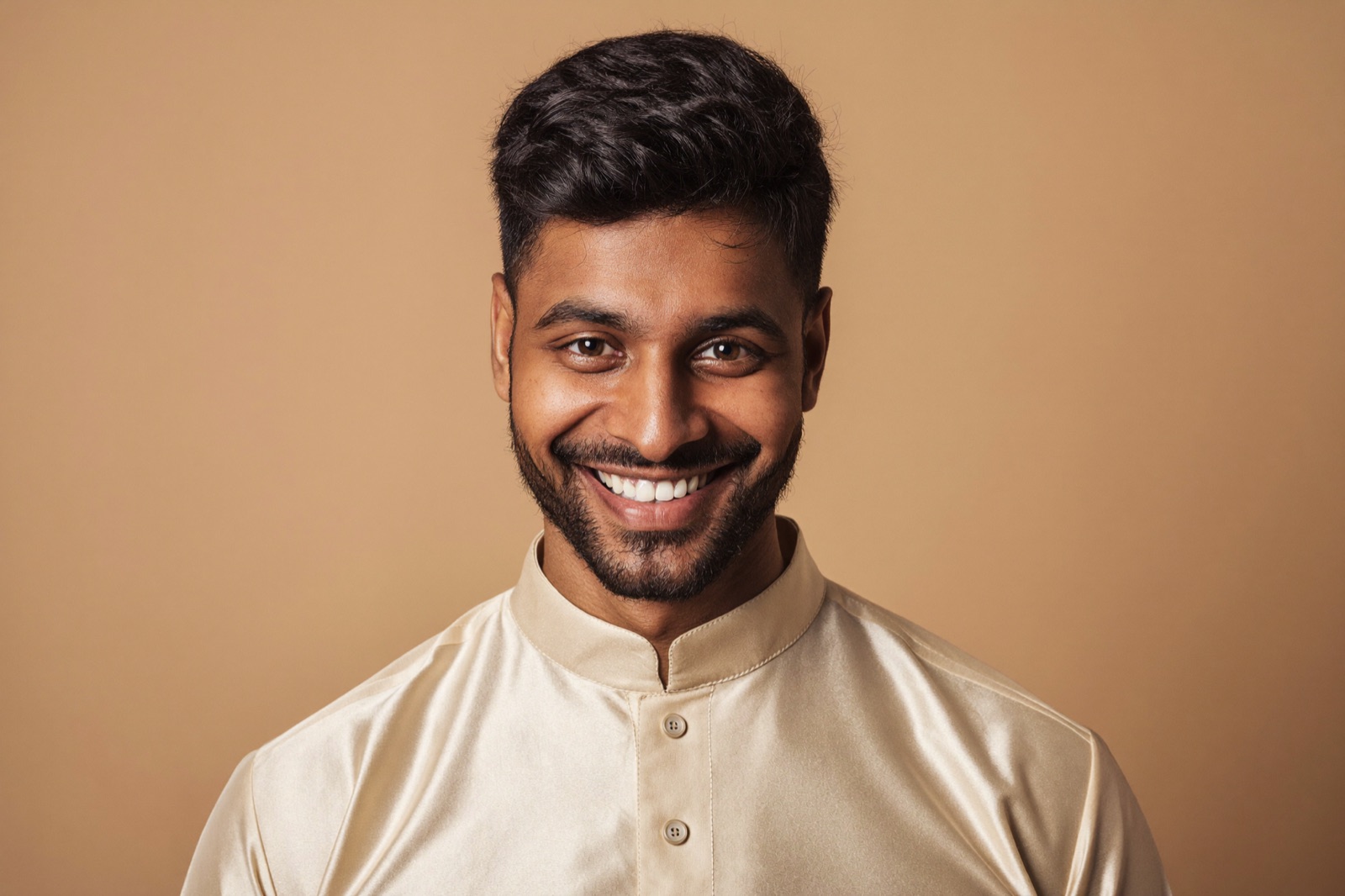
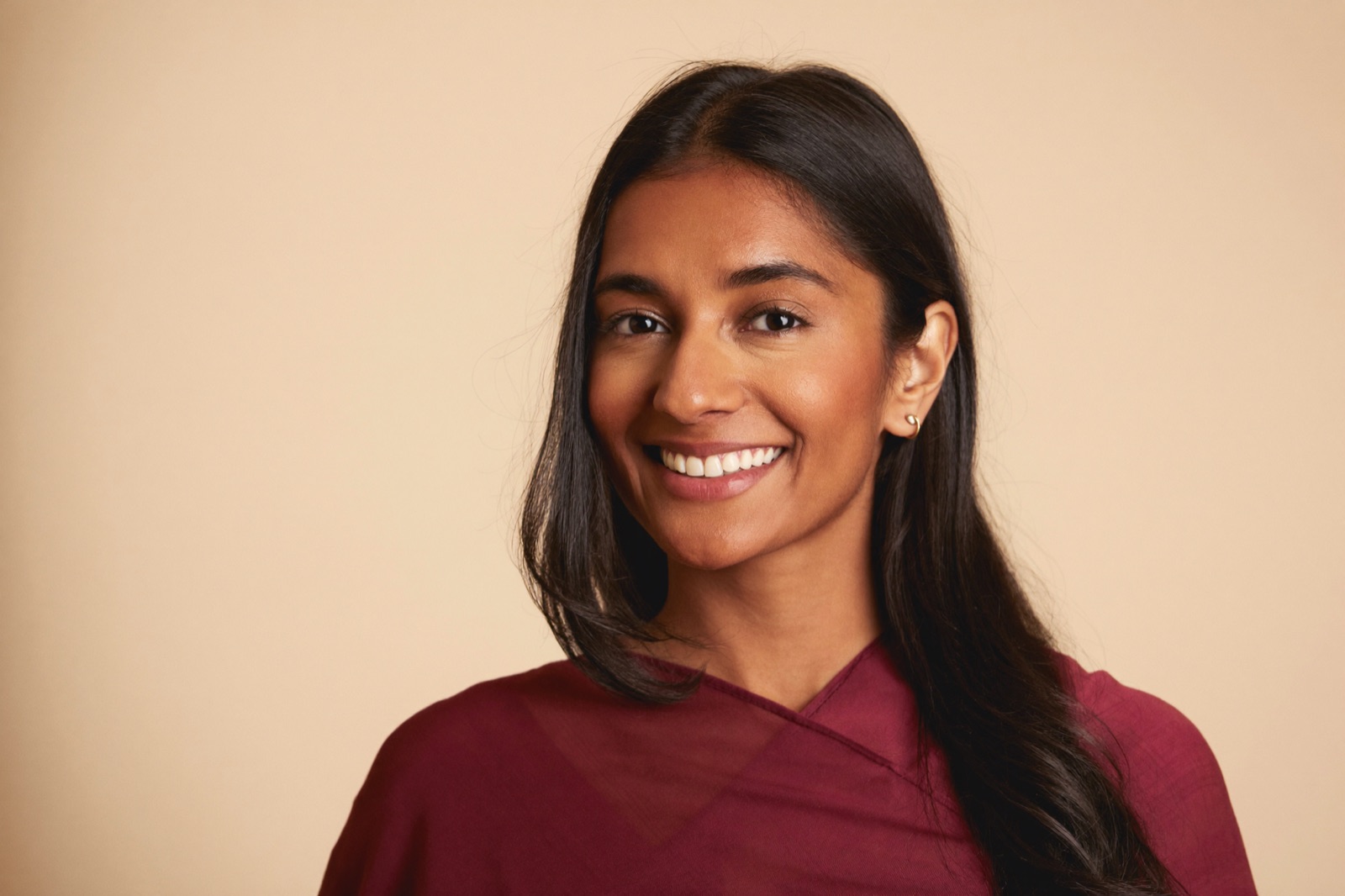
One advantage over a single studio sitting: you can generate more than one look from the same selfie — a formal-shirt version and a traditional one — and use whichever fits the profile or the family's preference.
Studio vs AI vs Raw Selfie
| What matters | Studio photo | Raw selfie | AI from selfie | |---|---|---|---| | Cost | ₹500–₹2,000+ | Free | Free preview, low paid tier | | Time | Appointment + travel | Instant | ~30 seconds | | Solo, plain background | Yes | Usually no | Yes | | Formal attire | If you dress up | Whatever you wore | Applied automatically | | Multiple looks | Extra sittings | No | Yes, from one selfie | | Passes moderation cleanly | Yes | Often not | Yes | | Looks like you | Yes | Yes | Yes — keeps your real face |
The studio still wins on pure authenticity. But for most people the real comparison isn't studio vs AI — it's "the selfie I already have" vs "the studio trip I keep postponing." AI beats both by removing the effort that was actually stopping you.
Bottom Line
You can turn one selfie into a matrimony biodata photo in about 30 seconds: the AI keeps your real face and supplies the plain background, formal attire, studio lighting, and head-and-shoulders framing that make a biodata photo work. Start with a clear, recent, front-facing selfie, check the preview to confirm it looks like you, and upload the result to Shaadi.com, BharatMatrimony, or Jeevansathi like any other photo.
If a proper biodata photo has been on your list for weeks, try the free preview — one selfie, 30 seconds, no signup, no cost to check.
FAQ
Can I turn a selfie into a matrimony biodata photo?
Yes. AI can take one ordinary selfie and produce a biodata-ready portrait — solo, plain background, formal attire, warm expression, head-and-shoulders framing — in about 30 seconds. It keeps your real face and only changes the background, clothing, and framing that a studio would normally handle.
How do I convert a selfie into a biodata photo?
Upload one clear, front-facing selfie to an AI headshot tool, pick a formal or ethnic style, and the tool generates a studio-style portrait. With ProfilePics you can see a watermarked preview first with no account or card, and only pay for the full-resolution version if you like it.
Is an AI biodata photo accepted on Shaadi.com and other matrimony sites?
Yes. AI-generated portraits are ordinary JPG/PNG images and meet the upload rules on Shaadi.com, BharatMatrimony, and Jeevansathi — under 15 MB, clear, solo, and appropriate. Because they keep your real face, they read as a genuine studio photo rather than a filtered selfie.
Will the AI biodata photo still look like me?
It should. Good AI headshot tools preserve your actual facial features and identity; they change the setting, not your face. Always check the preview first — if it doesn't look like you, don't use it. A front-facing, well-lit selfie gives the closest likeness.
How much does it cost to make a biodata photo from a selfie?
Far less than a studio sitting, which typically runs ₹500–₹2,000 plus travel and time. AI previews are free to check, and the paid full-resolution photo is a low one-time cost — so you only pay once you've seen that the result looks like you.
What kind of selfie works best for AI conversion?
A recent, sharp, front-facing selfie in good light, with your whole face visible, no sunglasses or heavy filters, and a neutral or slight smile. The clearer your input, the closer the output looks to you. You don't need to dress up — the AI handles the formal attire.